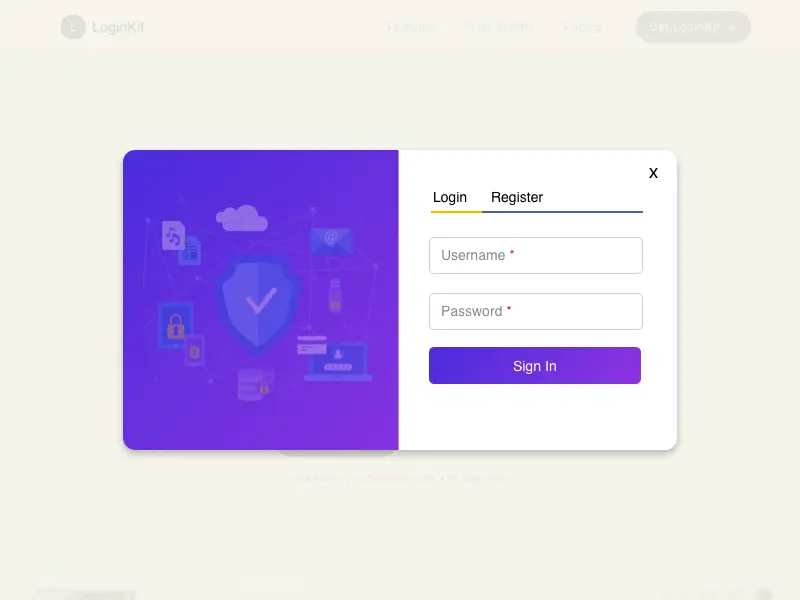
LoginKit transforms the default WooCommerce login, registration, and password reset experience into modern, conversion-focused popups and slide-in panels. Instead of redirecting customers to separate pages, LoginKit keeps them on the current page with seamless AJAX-powered authentication, creating a faster and more intuitive shopping experience.
Whether customers are logging in from the cart, checkout, or My Account page, LoginKit helps remove unnecessary friction and keeps the purchase journey uninterrupted.
Designed specifically for WooCommerce, LoginKit includes a powerful visual Style Builder that lets you customize every aspect of your forms with live preview—no coding required. Match your store’s branding, add promotional content, and create an authentication experience that feels like a natural part of your website.
Why Choose LoginKit?
Your login form is one of the first interactions customers have with your store. A poor authentication experience can interrupt checkout, increase friction, and drive customers away.
LoginKit helps solve these problems by providing:
- Beautiful login, registration, and password reset popups
- AJAX-powered submissions with no page reloads
- Visual Style Builder with live preview
- Optional promotional sidebar with custom images
- Automatic login triggers on Cart and Checkout pages
- Support for custom buttons, links, and URL-based triggers
- WooCommerce Customer Account block integration
- Custom styling for the default My Account forms
- Developer-friendly with flexible trigger options
Customize Every Detail
LoginKit includes an intuitive Style Builder that lets you design authentication forms visually.
Customize:
- Colors
- Typography
- Borders
- Shadows
- Border radius
- Spacing
- Buttons
- Form fields
- Backgrounds
- Sidebar content
Every change is reflected instantly with a live preview, making it easy to create forms that perfectly match your brand.
Built for WooCommerce
Unlike generic popup plugins, LoginKit is built exclusively for WooCommerce. It understands the WooCommerce customer journey and integrates seamlessly with:
- Cart page
- Checkout page
- My Account page
- WooCommerce Customer Account block
- Login, registration, and password reset workflows
No complicated setup. Install, configure, and start improving your store’s authentication experience in minutes.
Create a Better Customer Experience
From the first login to the final checkout, LoginKit helps make customer authentication feel fast, seamless, and beautifully integrated into your WooCommerce store.
Replace outdated forms with a modern experience that keeps customers engaged, complements your store’s design, and simplifies the path to purchase.
